


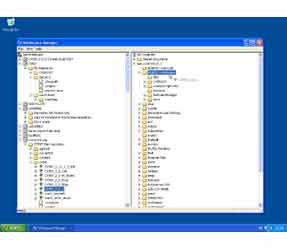
CVS Suite Studio provides an easy to way to browse the repositories on your local network and create Workspaces on your own PC. CVS Suite Studio simplifies the process of checking out a single file or checking out the correct branch of a project with thousands of files. Buy now for £85.
Simplicity
CVS Suite Studio will change the way you view CVS forever. Simply start it up and all the CVSNT 2.5.02 repositories on your network are instantly available for you to browse including modules, directories, files, tags and branches. If you want to begin work on a file or project, simply drag it to a location on your local workstation and you are ready to begin work.
If you have projects from other CVS or CVSNT repositories on the internet, then you can add those as well. Once a repository is defined it remains in your list of remembered servers for use in the future.
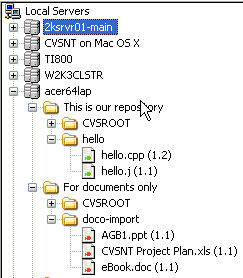
Browse. Creating workspaces on your PC has never been easier. Regardless of if you want to checkout a module, directory or file the process is the same. Simply navigate, drag and drop.
Browse
For many beginners the most frustrating aspect of using CVS is that there is no intuitive way to view what is already stored in the repository. CVS Suite Studio solves this problem by allowing you to browse any registered server, it even automatically discovers all the CVS Suite servers already defined on your network for you.
Once you find the files or project that you want to work on, simply drag them to a location on your PC and your workspace is created. If you want to checkout a branch, drag the appropriate tree icon instead.
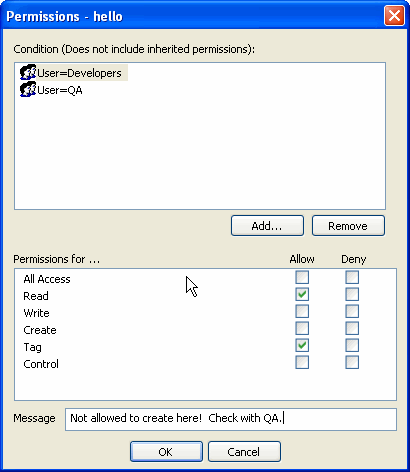
Set Access Control
With CVS Suite Studio you can easily configure access control for any module, directory or branch in your repository. Restrict a user or a group of users to checkout on a single branch, or lockdown the production branch so no users can make changes.
Open from Server
Do you need to quickly check that a file and do not want to checkout the whole project? The using the Open or Open With... Options directly from the CVS Suite Studio server browser you can.
Anonymous
Many public CVSNT repositories such as cvs.cvsnt.org provide anonymous logins for browsing and checkout and authenticated logins for the developers with approval. CVS Suite Studio automatically detects anonymous logins while browsing and gives you the option of using that or an authenticated logon.
Only in CVS Suite
CVS Suite Studio is a part of CVS Suite and is not available any place else. CVS Suite is designed to get you running quickly and easily with version control, and a repository browser is the first thing you will need.


